

table of contents
Place of service codes are two-digit numeric codes maintained by the Centers for Medicare & Medicaid Services (CMS) that identify where a professional service was provided. They are required on every professional claim, meaning the CMS-1500 form and its electronic equivalent, the 837P transaction. The CMS POS code set is your authoritative source, last updated February 9, 2026, and it is the only reference that should drive your billing rules.
Three things your billing team should do right now:
- Open the CMS POS code set and confirm the correct code for each service location in your practice. Do not rely on memory or a third-party cheat sheet that may be months out of date.
- Verify payer-specific adoption and exceptions. Medicare Administrative Contractors (MACs) such as Novitas publish regional guidance that can differ from the national CMS publication date. Check your MAC’s bulletin board before switching billing rules on new codes.
- Map each POS code to the correct claim format. POS belongs on the CMS-1500 and the 837P service line. Facility claims on the UB-04 or 837I use type-of-bill codes instead, not POS codes.
Getting this right is not just a compliance exercise. Correct POS selection determines whether a claim pays at the facility rate or the non-facility rate, and that difference can be substantial for high-volume services.
What the official CMS place of service code list actually contains
The CMS POS code set lists every assigned two-digit code, its official name, and a full description. CMS also provides a downloadable and printable version of this list. Below is the complete set of currently assigned codes organized by category, drawn directly from the CMS code set.
Pharmacy and community settings
- 01 — Pharmacy: A facility where drugs and medically related items are sold, dispensed, or provided directly to patients.
- 60 — Mass Immunization Center: A location where providers administer pneumococcal pneumonia and influenza vaccinations, often in public health centers, pharmacies, or malls.
- 71 — Public Health Clinic: A facility maintained by state or local health departments providing ambulatory primary medical care.
- 72 — Rural Health Clinic: A certified facility in a rural medically underserved area providing ambulatory primary medical care.
Telehealth
- 02 — Telehealth Provided Other Than in Patient’s Home: The patient is not in their home when receiving services through telecommunication technology. Description updated effective January 1, 2022, applicable for Medicare April 1, 2022.
- 10 — Telehealth Provided in Patient’s Home: The patient is in a private residence when receiving services through telecommunication technology. Effective January 1, 2022; available to Medicare April 1, 2022.
Office and home
- 11 — Office: A location, other than a hospital, SNF, military treatment facility, community health center, state or local public health clinic, or ICF, where the health professional routinely provides examinations, diagnosis, and treatment on an ambulatory basis.
- 12 — Home: A private residence, other than a hospital or other facility, where the patient receives care.
- 17 — Walk-in Retail Health Clinic: A walk-in health clinic within a retail operation that provides preventive and primary care services on an ambulatory basis.
Hospital settings
- 19 — Off Campus-Outpatient Hospital: A portion of an off-campus hospital provider-based department providing diagnostic, therapeutic, and rehabilitation services to patients who do not require hospitalization.
- 21 — Inpatient Hospital: A facility that provides diagnostic, therapeutic, and rehabilitation services to patients who require hospitalization.
- 22 — On Campus-Outpatient Hospital: A portion of a hospital’s outpatient department providing diagnostic, therapeutic, and rehabilitation services.
- 23 — Emergency Room — Hospital: A portion of a hospital where emergency diagnosis and treatment of illness or injury is provided to unscheduled ambulatory patients.
- 26 — Military Treatment Facility: A medical facility operated by one or more of the Uniformed Services.
Outreach and workplace
- 18 — Place of Employment/Worksite: A location, other than a hospital or other facility, where the patient receives care in a workplace setting.
- 27 — Outreach Site/Street: A non-permanent location on the street or at a temporary site where health professionals provide preventive, screening, rehabilitative, or settling services.
- 20 — Urgent Care Facility: A location, distinct from a hospital emergency room, office, or clinic, that provides immediate medical attention to ambulatory patients.
Post-acute and long-term care
- 31 — Skilled Nursing Facility (SNF): A facility providing inpatient skilled nursing care and related services to patients who require medical, nursing, or rehabilitative services but do not need hospital-level care.
- 32 — Nursing Facility: A facility providing skilled nursing care and related services for rehabilitation of injured, disabled, or sick persons.
- 33 — Custodial Care Facility: A facility providing room, board, and personal assistance services on a long-term basis without a medical component.
- 34 — Hospice: A facility, other than a patient’s home, providing palliative and supportive care for terminally ill patients and their families.
Behavioral health and substance use
- 51 — Inpatient Psychiatric Facility: A facility providing inpatient psychiatric services for the diagnosis and treatment of mental illness on a 24-hour basis.
- 52 — Psychiatric Facility-Partial Hospitalization: A facility providing a planned therapeutic program for patients who do not require full-time hospitalization.
- 53 — Community Mental Health Center: A facility providing outpatient services, emergency care, day treatment, and consultation services.
- 54 — Intermediate Care Facility/Individuals with Intellectual Disabilities: A facility providing health-related care above custodial level to individuals with intellectual disabilities.
- 55 — Residential Substance Abuse Treatment Facility: A live-in facility providing treatment for alcohol and drug abuse without requiring acute medical care.
- 56 — Psychiatric Residential Treatment Center: A facility providing a 24-hour therapeutically planned group living and learning environment for psychiatric care.
- 57 — Non-residential Substance Abuse Treatment Facility: An ambulatory location providing treatment for substance abuse. Effective October 1, 2023.
- 58 — Non-residential Opioid Treatment Facility: An ambulatory location providing treatment for opioid use disorder, including methadone and Medication Assisted Treatment (MAT). Effective January 1, 2020.
Ambulance
- 41 — Ambulance — Land: A land vehicle designed, equipped, and staffed for lifesaving and transporting the sick or injured.
- 42 — Ambulance — Air or Water: An air or water vehicle designed, equipped, and staffed for lifesaving and transporting the sick or injured.
Other outpatient and specialty
- 49 — Independent Clinic: A location, not part of a hospital, organized to provide preventive, diagnostic, therapeutic, rehabilitative, or palliative services to outpatients only. Effective October 1, 2023.
- 50 — Federally Qualified Health Center (FQHC): A facility in a medically underserved area providing preventive primary medical care to Medicare beneficiaries.
Unassigned and fallback
- POS 82–98: Currently unassigned. Do not use these codes; they have no defined meaning in the CMS code set.
- POS 99 — Other Place of Service: Use only when no other code accurately describes the service location. This is a last resort, not a default.
Pro Tip: Download the printable PDF from the CMS code set page and save it to your practice’s shared billing knowledge base with the CMS last-updated date in the file name. When CMS publishes a revision, replace the file immediately and note the change in your internal billing policy log.

How to enter POS codes correctly on CMS-1500 and 837P claims
POS codes belong on professional claims only. Facility claims submitted on the UB-04 or via the 837I transaction use type-of-bill codes to describe the service setting; they do not carry a POS field. This distinction matters because submitting a professional claim with the wrong form type, or confusing facility and professional billing, is itself a denial trigger.

On the CMS-1500 paper form, the POS code goes in Box 24B on each service line. In the 837P electronic transaction, it maps to the SV1 service line segment, specifically the place-of-service element. CMS adopted the POS code set as the national standard under HIPAA, and the ASC X12N-837 professional transaction references the CMS-maintained set directly.
A sample claim line, element by element:
- Date of service — the date the service was rendered, not the date of the order or referral.
- Place of service (Box 24B / SV1) — the two-digit POS code matching the actual service location.
- CPT/HCPCS code — the procedure performed; for example, a common office visit CPT paired with POS 11.
- Diagnosis pointer — links the procedure to the correct ICD-10 diagnosis code from Box 21.
- Modifiers — appended when required; for telehealth, some payers require modifier 95 or GT in addition to, or instead of, POS 02/10.
- Units — the number of units rendered.
- Charges — the billed amount for that service line.
When the POS code is wrong, the claim routes to the wrong fee schedule. A service billed with POS 22 (on-campus outpatient hospital) instead of POS 11 (office) will pay at the lower facility rate, even if the physician rendered the service in a private practice. That is direct revenue leakage on every affected claim.
When to use CMS-1500/837P vs. UB-04/837I:
- Use CMS-1500/837P for professional services billed by a physician, mid-level provider, or independent practitioner, regardless of where the service occurred.
- Use UB-04/837I for facility charges from hospitals, SNFs, hospices, and other institutional providers. These claims use type-of-bill codes, not POS codes.
- When a physician provides services inside a hospital, the physician bills on CMS-1500 with the appropriate hospital POS (21, 22, or 23); the hospital bills separately on UB-04.
Payer variations to watch:
- Some commercial payers and Medicaid plans have not yet adopted POS 10 on the same timeline as Medicare. Verify with each payer before using it.
- Certain payers require modifier 95 alongside POS 02 for telehealth, while others accept POS 10 alone. Check each payer’s telehealth billing policy individually.
The most commonly used POS codes and when to use each one
These are the codes your billing team will encounter most often, along with the decision rule for each.
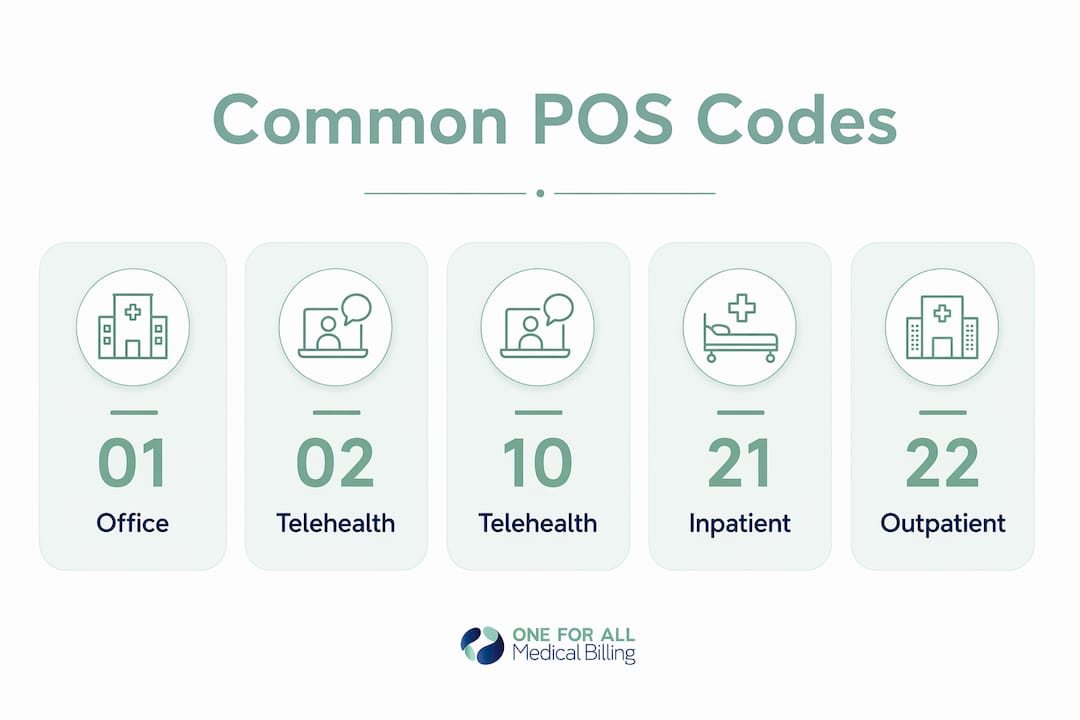
- POS 11 — Office: Use when the patient is seen in the provider’s private practice office or clinic that is not part of a hospital system. This is the most frequently used code and pays at the non-facility rate.
- POS 21 — Inpatient Hospital: Use when the provider renders a professional service to a patient who is formally admitted to a hospital. The physician bills on CMS-1500 with POS 21; the hospital bills separately on UB-04.
- POS 22 — On Campus-Outpatient Hospital: Use when the service occurs in a hospital outpatient department physically located on the hospital’s main campus. This triggers the facility rate for the physician’s professional fee.
- POS 23 — Emergency Room: Use when the provider sees a patient in a hospital emergency room. Applies to the professional component only; the facility bills separately.
- POS 31 — Skilled Nursing Facility: Use when the provider renders a professional service to a patient residing in a SNF. Common for attending physician visits and specialist consultations in post-acute settings.
- POS 50 — Federally Qualified Health Center: Use when services are rendered at an FQHC in a medically underserved area. FQHC billing has specific Medicare cost-based reimbursement rules; confirm with your MAC.
- POS 49 — Independent Clinic: Use for outpatient-only clinics that are not part of a hospital and do not fit any other code. Effective October 1, 2023, this code replaced several older codes for standalone outpatient facilities.
Telehealth decision rules:
- POS 02 — Telehealth Other Than in Patient’s Home: Use when the patient is at a clinical site, a provider’s office, or any location that is not their private residence during the telehealth encounter. This was the original telehealth code and remains correct for clinic-to-clinic telehealth.
- POS 10 — Telehealth in Patient’s Home: Use when the patient is in their own home during the telehealth encounter. CMS added this code effective January 1, 2022, specifically to distinguish home-based telehealth from facility-based telehealth. Behavioral health billing is particularly affected by this distinction, as payer rules for home-based telehealth vary widely across commercial plans.
The 02 vs. 10 distinction is not cosmetic. Some payers reimburse POS 10 services differently, and telehealth POS rules vary enough across commercial payers and Medicaid plans that you should validate each payer’s policy before assuming the Medicare rule applies.
POS 99 — Other Place of Service: Reserve this code for situations where no other assigned code accurately describes the service location. Using POS 99 as a default invites payer scrutiny and manual review. Document the rationale in the patient record whenever you use it.
Top POS billing mistakes that cause denials and how to fix them
Wrong POS selection is one of the most consistent sources of claim denials and underpayment in professional billing. The errors tend to cluster around a few predictable patterns.
Common denial and underpayment triggers:
- Facility vs. non-facility mismatch: Billing POS 11 for a service rendered in a hospital outpatient department, or POS 22 for a service rendered in a private office. Each error routes the claim to the wrong fee schedule.
- Telehealth misclassification: Using POS 02 when the patient was at home (should be POS 10), or vice versa. This is especially common in behavioral health, where incorrect POS selection is a documented denial driver.
- POS not matching the clinical record: The claim says POS 11, but the visit note documents a hospital-based encounter. Payers and auditors cross-reference these, and inconsistencies trigger both denials and post-payment audits.
- Delayed payer adoption of new codes: Using POS 10 with a payer that has not yet adopted it, resulting in an invalid-code rejection.
- Missing modifier combinations: Some payers require modifier 95 or GT alongside a telehealth POS code. Submitting the POS alone results in a denial.
Denial prevention checklist:
- Enable a POS-specific edit in your claim scrubbing workflow so the system flags mismatches before submission.
- Add a single intake question: “Where is the patient located at the time of service?” This one question, asked at scheduling or check-in, captures the data needed to assign POS 10 vs. POS 02 correctly.
- Maintain a payer-specific POS rule matrix. Document which payers have adopted POS 10, which still require modifier combinations, and when each payer’s rule became effective.
- Run a quarterly POS audit. Pull a sample of claims by POS code, cross-reference against visit notes, and calculate the denial rate by code. This turns a reactive process into a proactive one.
Remediation and appeal steps when a denial occurs:
- Pull the visit note and confirm the actual service location. If the POS was wrong, correct and resubmit with the accurate code.
- If the POS was correct and the payer denied based on a policy lag (e.g., not yet recognizing POS 10), attach the CMS effective-date documentation and submit a written appeal citing the CMS code set authority.
- For persistent regional issues, escalate to your MAC. Novitas, for example, publishes provider education bulletins on POS-related topics and can clarify regional Medicare policy when the national guidance is ambiguous.
- Document every appeal with the visit note, the CMS code set reference, and any MAC bulletin that supports your position.
Pro Tip: The fastest fix for recurring POS errors is usually upstream, not in the billing department. Adding a location-verification question to the intake workflow, and tying it to an automatic POS suggestion in your practice management system, eliminates the manual judgment call that causes most errors.
How to stay current on POS code updates from CMS and your MAC
CMS updates the POS code set periodically, and the publication date on the CMS page is not always the same as the date a specific payer begins accepting a new code. That gap is where billing teams get caught.
Primary sources to monitor:
- CMS Place of Service Codes page: The main landing page for POS policy, including links to the code set, transmittals, and change history.
- CMS POS Code Set page: The downloadable, printable list of all current codes with descriptions and effective dates. This is the single source of truth for code definitions.
- Your regional MAC: MACs like Novitas publish provider bulletins and local coverage guidance that translate national CMS policy into regional implementation timelines. Subscribe to your MAC’s email list and check their website when CMS publishes a transmittal.
- CMS email updates: CMS offers a subscription service for Medicare updates. Enrolling your billing manager in this list ensures you receive transmittals directly rather than learning about changes from a denial.
How to read effective dates:
CMS publishes two types of dates for POS codes: the date the code is officially effective in the CMS code set, and the date Medicare (or a specific payer) begins accepting it. POS 10 is a clear example: it was effective January 1, 2022, but Medicare did not begin accepting it until April 1, 2022. Commercial payers adopted it on their own schedules, some months later. Never assume that a CMS effective date equals universal payer acceptance.
Practical monitoring cadence:
- Review the CMS POS code set at least once per year, ideally in the fourth quarter before the new year.
- Set a calendar reminder to check your MAC’s bulletin board each time CMS publishes a major coding update.
- When a new code is published, add it to your payer rule matrix with a “confirmed adoption” column and fill it in as each payer confirms acceptance.
- Keep a dated copy of the CMS code set in your billing knowledge base so auditors can see which version was in effect when a claim was submitted.
Key Takeaways
Accurate POS coding is a financial control, not just a compliance checkbox. Every wrong code is a potential underpayment or denial waiting to surface.
| Point | Details |
|---|---|
| POS codes drive fee schedules | Two-digit CMS codes on professional claims determine facility vs. non-facility reimbursement rates. |
| CMS code set is the only authoritative source | Use the CMS POS code set, last updated February 9, 2026, as your single reference for code definitions and effective dates. |
| Telehealth POS 02 vs. 10 distinction matters | POS 10 (patient at home) and POS 02 (patient at another location) have different reimbursement implications; validate each payer’s adoption timeline. |
| Claim scrubbing and intake questions prevent most errors | A POS edit in your claim scrubber and a single patient-location intake question catch the majority of POS-related denials before submission. |
| One For All Medical Billing | Provides POS audits, claim scrubbing, and denial management for practices that need systematic POS accuracy across all payers. |
The POS audit that changed how one billing team handled telehealth
A billing team managing a multi-provider behavioral health group was seeing a steady stream of telehealth denials from two commercial payers. The codes looked right on the surface: POS 02 on every telehealth claim, modifier 95 attached. But when the team ran a targeted POS audit, they found the real problem. Schedulers were not asking patients where they would be during the visit. Roughly a third of those telehealth encounters were patients calling in from home, which meant POS 10 was the correct code, not POS 02. One payer had adopted POS 10 and was rejecting POS 02 for home-based encounters. The other payer had not yet adopted POS 10 and required a modifier combination instead.
The fix was not a billing-department fix. It was a three-step SOP change:
- Verify location during intake. Add “Where will you be during your appointment?” to the scheduling script and document the answer in the patient record.
- Cross-check claim scrubber results before submission. Configure a POS edit that flags any telehealth claim where the documented patient location does not match the POS code on the claim line.
- Run a quarterly POS audit tied to denial-rate KPIs. Pull telehealth claims by POS code, calculate the denial rate for each code by payer, and use the results to update the payer rule matrix and retrain schedulers where needed.
The same three-step framework applies to any practice where POS errors are recurring. The intake question is the cheapest fix in revenue cycle management. It costs nothing to ask and prevents a chain of downstream errors that each take time and staff effort to resolve.
One For All Medical Billing can handle your POS audits and denial prevention
POS coding errors are predictable, and they are fixable. But fixing them systematically requires more than a one-time correction. It requires claim-level edits, payer rule verification, and a denial management process that catches errors before and after submission.
One For All Medical Billing brings over 20 years of medical billing experience to practices across Oklahoma and nationwide, with a focus on clean claim rates and specialty-specific billing accuracy. The team handles POS audits, claim scrubbing configuration, payer rule matrix maintenance, and denial appeals, including the documentation and appeal language needed when a payer disputes a correct POS code. For practices dealing with high telehealth volume or multi-site complexity, that kind of systematic support makes a measurable difference in A/R performance.
If your denial rate has been climbing or you have not run a POS audit in the past year, the right next step is a revenue cycle management consultation with a team that knows where POS errors hide and how to close them. Reach out to One For All Medical Billing to request a POS-focused audit or a full RCM review.
Useful sources and next steps
These are the primary sources your billing team should bookmark and check regularly.
- CMS Place of Service Codes — main page: Policy overview, transmittal links, and navigation to the code set. Start here for any POS policy question.
- CMS POS Code Set — downloadable list: The complete, current list of all assigned codes with descriptions and effective dates. Download and save with the CMS last-updated date in the file name.
- HHS CMS POS Code Set guidance: The HHS-hosted version of the CMS POS guidance document, useful as a secondary reference for audit documentation.
- Your regional MAC (e.g., Novitas): Search your MAC’s website for POS-related bulletins and local coverage articles. MACs publish implementation timelines for new codes that differ from the national CMS effective date.
- CMS-1500 instructions: The National Uniform Claim Committee (NUCC) publishes the official CMS-1500 completion instructions, which specify exactly where POS belongs on the form (Box 24B) and how to complete each field.
- 837P transaction companion guides: Your clearinghouse or payer will publish an 837P companion guide that maps the SV1 service line elements, including POS, to their specific system requirements.
Before switching billing rules based on a new POS code: confirm the CMS effective date, check your MAC’s bulletin for the Medicare adoption date, and contact each commercial payer to verify their own adoption timeline. Document all three dates in your payer rule matrix before updating your claim templates.
FAQ
Where do I find the official place of service codes?
The CMS POS code set page is the authoritative source. It lists all current two-digit codes with descriptions and effective dates, and CMS provides a downloadable version for internal reference.
What is the difference between POS 21 and POS 22?
POS 21 is for inpatient hospital services, where the patient is formally admitted. POS 22 is for on-campus outpatient hospital services, where the patient receives care in the hospital’s outpatient department without being admitted.
What is the difference between POS 11 and POS 22?
POS 11 is for a private practice office that is not part of a hospital system and pays at the non-facility rate. POS 22 is for an on-campus hospital outpatient department and pays at the lower facility rate for the professional fee.
Do UB-04 claims use place of service codes?
No. UB-04 and 837I facility claims use type-of-bill codes to identify the service setting. POS codes are required only on professional claims submitted on the CMS-1500 or via the 837P transaction.
When should I use POS 02 vs. POS 10 for telehealth?
Use POS 10 when the patient is in their private home during the telehealth encounter, and POS 02 when the patient is at any other location, such as a clinic or provider’s office. POS 10 became effective early 2022; verify each commercial payer’s adoption timeline before using it.
Recommended
- CPT Code for Office Visit: A Complete 2026 Guide – One For All Medical Billing
- Choose Top Medical Coding and Billing Companies – One For All Medical Billing
- Bill Type Codes: A Guide to UB-04 and 837I Claims – One For All Medical Billing
- 43239 CPT Code: A Guide To Stop Denials – One For All Medical Billing

